If you’re planning to set up a golf simulator at home, one question probably tops your list: how tall should your ceiling be? Getting the ceiling height right isn’t just about fitting the equipment—it’s about ensuring you have enough space to swing freely without worrying about hitting the ceiling.
Whether you’re a weekend golfer or aiming to perfect your swing indoors, understanding the ideal ceiling height can save you frustration and costly adjustments later. You’ll discover exactly how tall your ceiling needs to be for a golf simulator, plus tips on making the most of your space.
Keep reading to find out how to create the perfect indoor golf experience tailored just for you.
Ceiling Height Basics
Understanding ceiling height is crucial for setting up a golf simulator. The right height ensures comfortable swings and a natural playing experience. Too low ceilings can limit your swing and affect gameplay. Knowing the basics helps you plan and enjoy your simulator space fully.
Minimum Height Requirements
The absolute minimum ceiling height for a golf simulator is about 8 feet. This height allows most players to swing without hitting the ceiling. Some shorter players might manage with 7.5 feet, but it is not ideal. Less than 8 feet can restrict your backswing and follow-through. Safety is also a concern with low ceilings.
Ideal Height For Full Swing
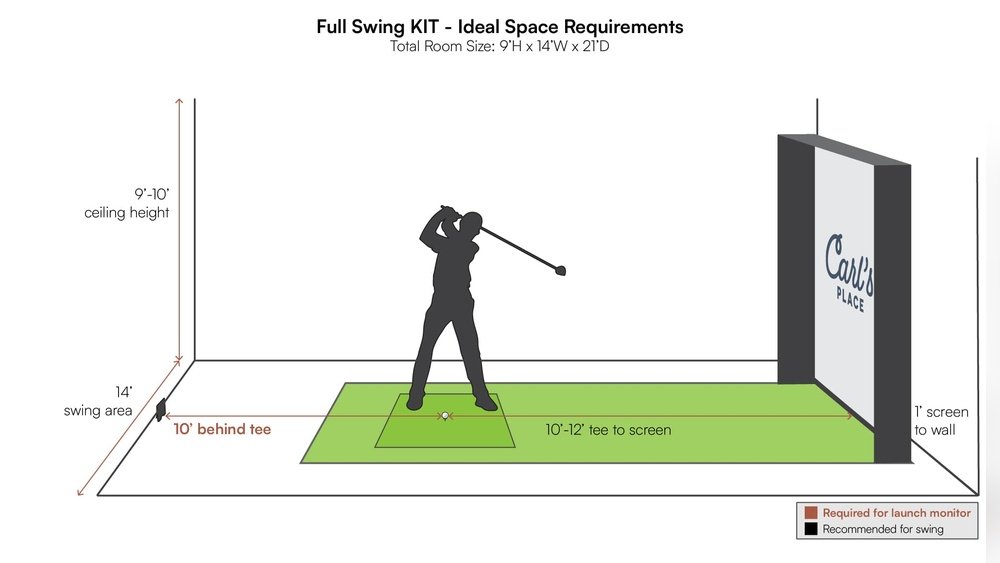
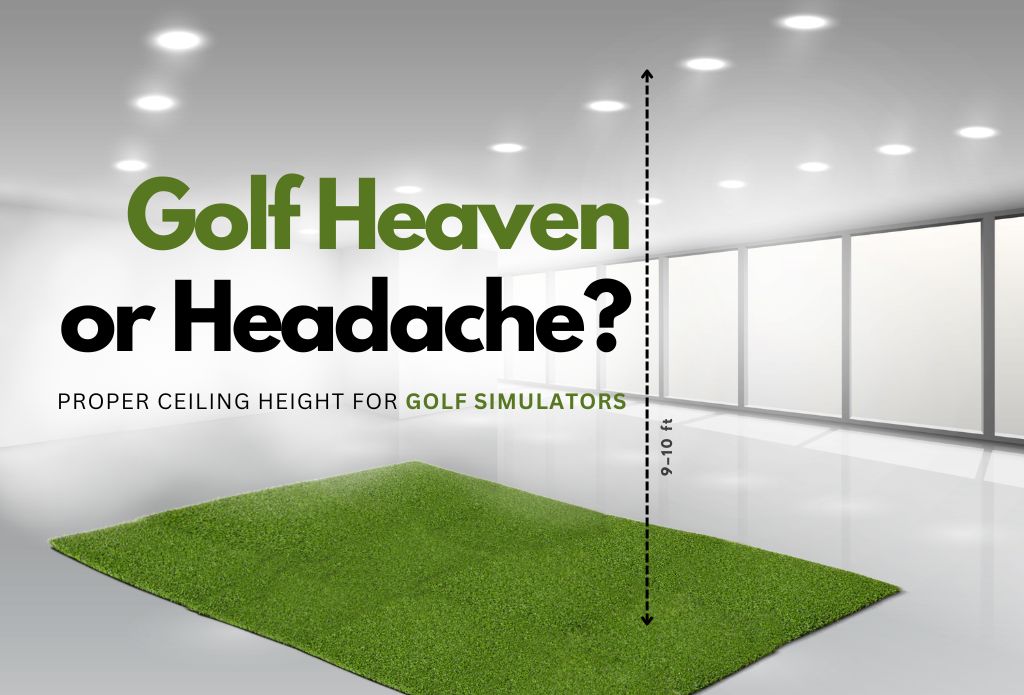
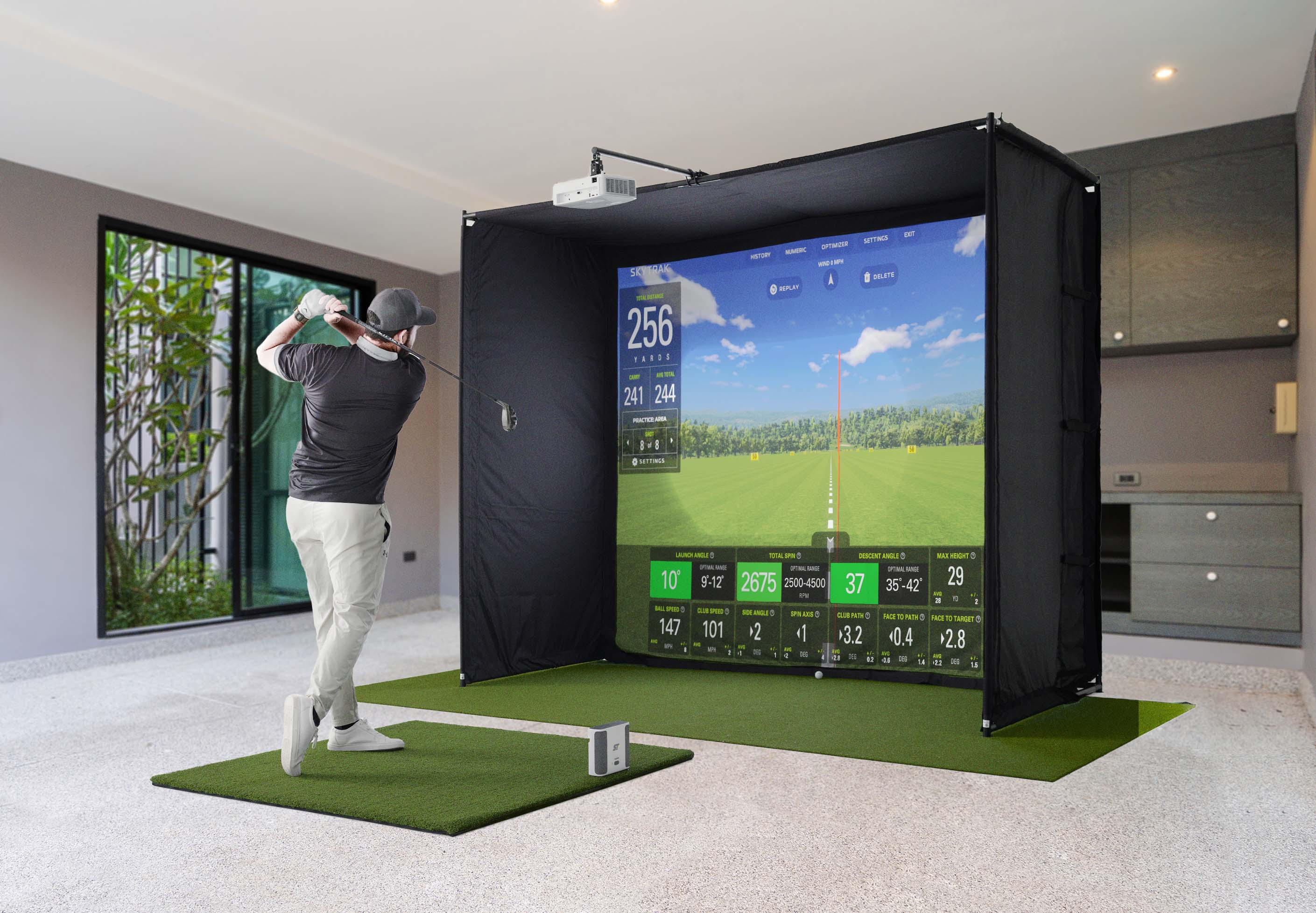
An ideal ceiling height for a full golf swing is between 9 and 10 feet. This height suits players of all sizes and swing types. It provides enough space for a natural, unrestricted swing. Higher ceilings reduce the chance of hitting your club on the ceiling. This height also enhances the overall simulator experience.
Impact Of Ceiling Height On Gameplay
Ceiling height affects both comfort and performance. Low ceilings can cause players to alter their swing, leading to inaccurate shots. It also creates a cramped feeling, reducing enjoyment. Higher ceilings allow more freedom and better shot simulation. The right height helps simulate real golf conditions more closely.
Measuring Your Space
Measuring your space is the first step in setting up a golf simulator. Accurate measurements help avoid installation problems and ensure a good playing experience.
Focus on both the room size and height. This makes sure the golf simulator fits well and you can swing comfortably.
Room Dimensions Needed
Measure the length and width of the room. Most golf simulators need at least 10 feet wide and 15 feet long. This space allows for the screen, projector, and swing area.
Check if the room shape fits the simulator setup. A rectangular room often works best for optimal play.
Considering Floor And Ceiling Clearance
Ceiling height is key. A minimum of 9 feet is usually required. Taller ceilings give more room to swing freely without hitting the ceiling.
Measure the floor to ceiling height at several points. Uneven floors or ceilings may affect your setup.
Using A Height Calculator
Use online height calculators to estimate your needed ceiling height. Enter your height, club length, and swing style for best results.
This tool helps confirm if your space can handle full swings safely. It saves time and guesswork in planning.
Types Of Golf Simulators
Golf simulators vary widely in design and setup. Understanding the different types helps choose the right ceiling height. Each type has unique space and height requirements. This impacts installation and gameplay comfort.
Some simulators are easy to move and set up anywhere. Others require a dedicated room and permanent installation. The technology used in each simulator also affects ceiling needs. Projector placement plays a key role in how high the ceiling should be.
Portable Vs Permanent Setups
Portable golf simulators are lightweight and flexible. They fit into rooms with lower ceilings. These setups often use nets and mats. They need less ceiling height but may limit swing freedom.
Permanent simulators are built into a fixed space. They need higher ceilings to allow full swings. These setups include screens, impact walls, and flooring. Proper ceiling height ensures safety and comfort.
Simulator Technology And Height Needs
Infrared and camera-based simulators track swings differently. Some require more vertical space for sensors or cameras. Radar-based simulators need room above the hitting area. Understanding technology helps plan ceiling height accurately.
High-end simulators often demand ceilings above 9 feet. Budget models may work well under 8 feet. Check manufacturer recommendations before installation.
Projector Placement And Ceiling Impact
Projectors need space to cast clear images on screens. Ceiling height affects where projectors can be mounted. Low ceilings may cause shadows or image distortion. Higher ceilings offer flexible projector placement options.
Ceiling mounts must avoid interfering with golf swings. Proper height prevents accidental hits on projectors. Consider projector throw distance and lens type when measuring ceiling height.
Ceiling Protection Options
Protecting the ceiling in a golf simulator room is crucial. Golf balls can hit the ceiling with force during practice. Ceiling protection options help avoid damage and keep the space safe. Choosing the right materials reduces noise and absorbs impact effectively. Below are three popular choices for ceiling protection.
Acoustic Foam Panels
Acoustic foam panels are lightweight and easy to install. They absorb sound and reduce echo in the room. These panels also cushion golf balls that hit the ceiling. Foam panels come in different thicknesses and shapes. Their soft surface prevents ceiling dents and cracks.
Gym Tiles And Padding
Gym tiles provide strong impact resistance for ceilings. They are made from dense foam or rubber materials. Padding adds extra protection by softening the ball’s impact. Tiles are durable and can handle repeated strikes. Installation is simple, using adhesive or hooks.
Shock Absorption Materials
Shock absorption materials protect ceilings from heavy hits. These include neoprene, EVA foam, and rubber mats. They absorb energy and reduce vibrations on impact. Using these materials extends ceiling lifespan and prevents damage. They also help lower noise from the golf simulator.
Adjusting Low Ceilings
Low ceilings can challenge your golf simulator setup. You must find ways to make the space work without losing the fun. Adjusting your setup helps protect your ceiling and keeps your game comfortable. Small changes make a big difference in limited height areas.
Basement Modifications
Basements often have lower ceilings. You can raise the ceiling by digging out the floor. This adds height but needs professional work. Adding padding to the ceiling protects it from stray balls. Use soft, shock-absorbing materials to reduce damage and noise. Good lighting also helps in low ceiling areas.
Swing Adjustments For Limited Height
Change your swing to fit the room. Try a shorter backswing to avoid hitting the ceiling. Practice a controlled, compact swing for better results. Use slower swings to reduce the chance of hitting the ceiling. Adjusting your stance can also help create more space above.
Alternative Simulator Designs
Choose simulators designed for low ceilings. Some use smaller screens or angled nets. Portable launch monitors need less height and space. Consider systems that track ball data without a full swing area. These options fit tighter rooms and still give good feedback.
Credit: mygaragegolf.com
Additional Space Considerations
Choosing the right ceiling height is vital for a golf simulator, but space around it matters too. Additional space considerations ensure comfort and safety. They also improve the overall experience. Think about the room’s width, depth, lighting, ventilation, storage, and seating. These factors help create a practical and enjoyable golf setup.
Room Width And Depth
The room should be wide enough for full swing movement. Aim for at least 10 feet wide. Depth matters to allow for the screen and swing space. A minimum depth of 15 feet is ideal. This space lets you move freely and avoid hitting walls or objects. Extra space also helps with equipment placement and projector setup.
Lighting And Ventilation
Good lighting improves visibility and enjoyment. Use soft, even lighting that does not create glare on the screen. Avoid harsh direct lights behind or in front of you. Natural light can be tricky but useful if controlled. Ventilation keeps air fresh and cool during long sessions. Consider fans or air conditioning to maintain comfort. Proper airflow prevents stuffiness and helps focus.
Storage And Seating
Storage keeps the room tidy and organized. Install shelves or cabinets for clubs, balls, and accessories. This prevents clutter and protects your gear. Seating offers comfort during breaks or watching others play. Simple chairs or benches work well. Place seating where it does not block the swing area. A neat and comfortable space invites longer play and fun.
Ceiling Height Recommendations By Experts
Choosing the right ceiling height is crucial for a golf simulator setup. It affects your swing comfort and simulator performance. Experts share their advice to help you avoid common problems.
The goal is to have enough space for a full golf swing without hitting the ceiling. Different experts offer insights based on experience and user feedback.
Insights From Golf Simulator Installers
Installers recommend a minimum ceiling height of 9 feet for most golf simulators. This height allows players to swing freely without restrictions.
Some installers suggest 10 feet for taller players or those who use a driver often. Extra height reduces the risk of damage to the ceiling and simulator.
They also advise checking the projector placement to ensure it does not interfere with the swing area.
User Experiences And Tips
Many users report that ceilings under 8 feet cause discomfort and limit swing speed. Players with lower ceilings often adjust their swing, reducing realism.
Some users added padding or netting to protect the ceiling and walls from stray shots. Others recommend measuring your tallest swing before finalizing the space.
Trying a practice swing in the space helps identify if the ceiling height works well.
Common Mistakes To Avoid
One common mistake is underestimating the space needed for the driver swing. It requires more vertical clearance than irons or wedges.
Ignoring projector placement can lead to obstructions during swings. Always consider the full swing path when positioning equipment.
Another error is not accounting for ceiling fixtures or beams that reduce usable height. Measure carefully and plan around these obstacles.
Credit: www.playbetter.com

Credit: www.carlofet.com
Frequently Asked Questions
Is 2.5 M High Enough For Golf Simulator?
A 2. 5 m ceiling is generally sufficient for a golf simulator. It allows full swing with most clubs safely. Ensure proper padding to protect surroundings. Taller ceilings offer more comfort but 2. 5 m works well in typical indoor setups.
Is A 12×12 Room Big Enough For Golf Simulator?
A 12×12 room can fit a golf simulator but may feel tight. Ensure at least 9-10 feet ceiling height for comfort.
What Is Too Low For A Basement Ceiling For Golf Simulator?
A basement ceiling below 8 feet is too low for a golf simulator. It restricts swing and ball flight, causing discomfort and damage risks.
What Should I Put On The Ceiling For A Golf Simulator?
Install sturdy acoustic foam panels or gym tiles on the ceiling. They absorb shock, reduce noise, and protect against stray golf balls.
Conclusion
Choosing the right ceiling height matters for your golf simulator experience. A ceiling around 9 to 10 feet usually works best. This height lets you swing freely without worrying about hitting the ceiling. Lower ceilings can limit your game and cause frustration.
Protect your ceiling with soft panels to avoid damage. Measure your space carefully before setting up. A comfortable height creates a more enjoyable and realistic practice area. Keep these tips in mind for a perfect golf simulator room.